Try Google Drive: organize files, folders and permissions with AI now, no sign-up needed

Google Drive: organize files, folders and permissions with AI · Bring order to the Drive you already have
For freelancers, agencies, professional firms and small and medium-sized businesses with thousands of files like “final budget (2) copy.” We give you your industry’s naming convention, renaming for your own files, the folder tree as a ZIP, the permissions policy and Drive searches ready to paste.
In the features that use AI, responses are generated by artificial intelligence and are not a substitute for professional advice.
Taber du kampe, fordi du flytter den forkerte brik, når terningen allerede er kastet?
I Ludo er terningen tilfældig, men trækket er en beslutning. Med dine 4 brikker og modstanderens 12 på brættet er der træk, der efterlader dig udsat med 42,1 %, og andre, der efterlader dig på nul, og man kan ikke skelne dem med øjet. Dette værktøj laver beregningen for dig: du indtaster stillingen, trykker på dit kast og får en rangliste over træk med risikoen for at blive slået, sandsynligheden for selv at slå en brik og en sætning, der forklarer hvorfor. Motoren er deterministisk og kører på din telefon, så samme stilling giver altid samme råd.
See the tools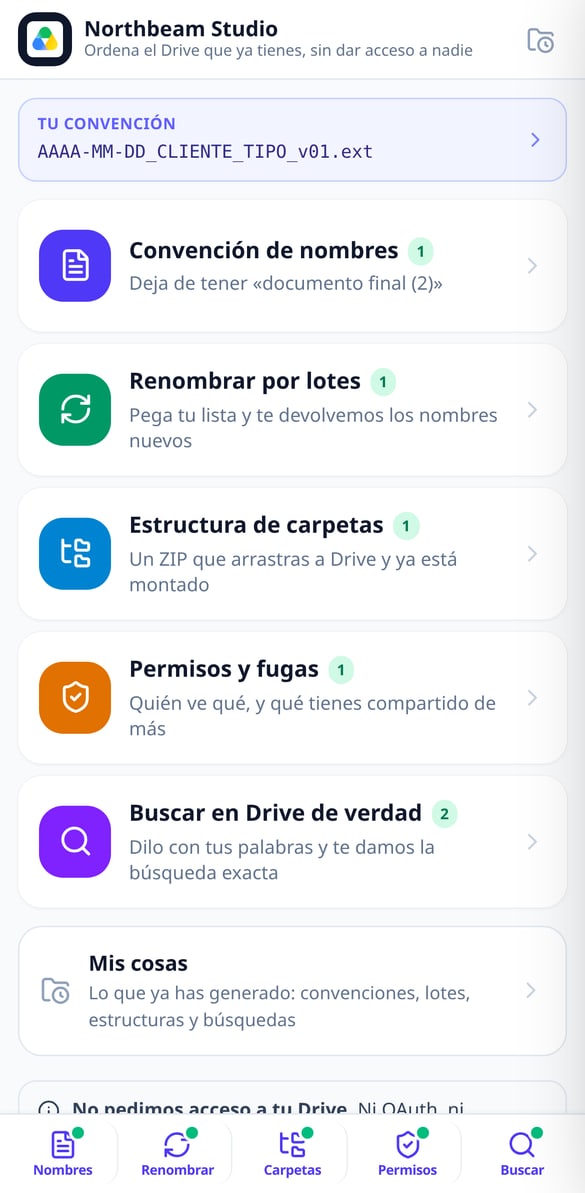
Discover every feature in detail
File Naming Standard by Industry | Google Drive
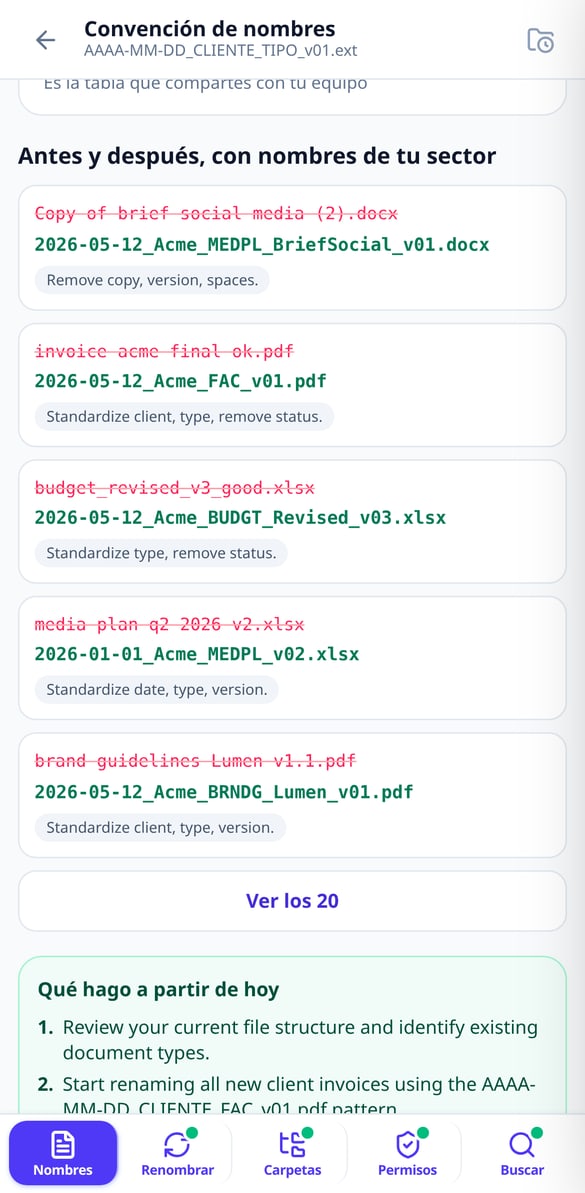
Choose your industry and the naming blocks and get the complete formula (YYYY-MM-DD_CLIENT_TYPE_v01), the 5 rules, your profession’s abbreviations, and before & after examples. Without connecting your Google account.
Try it free
Batch Rename Files | Google Drive
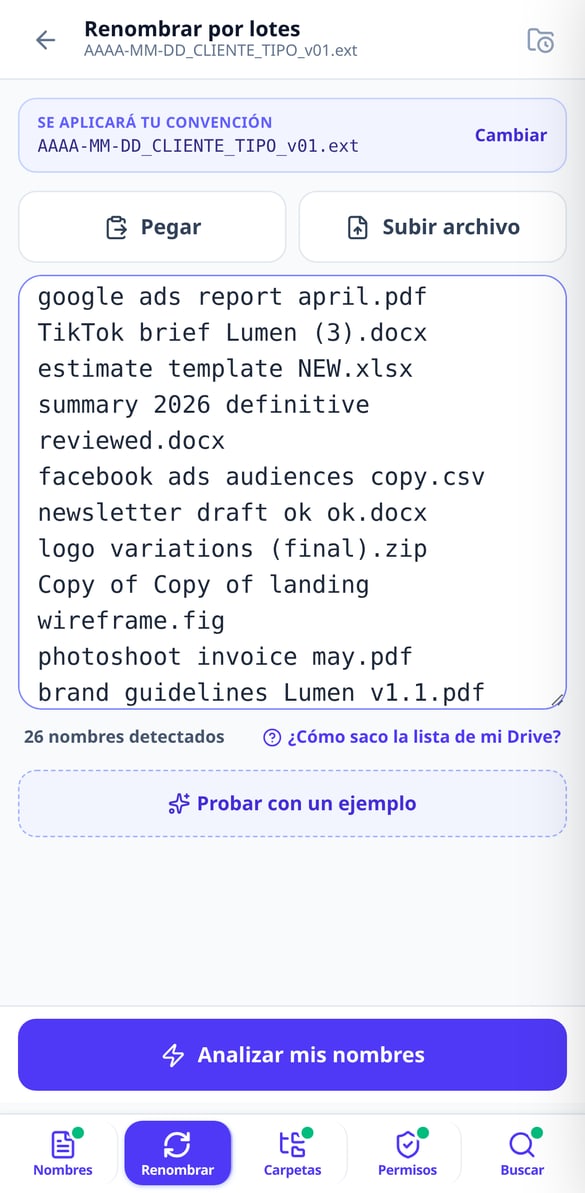
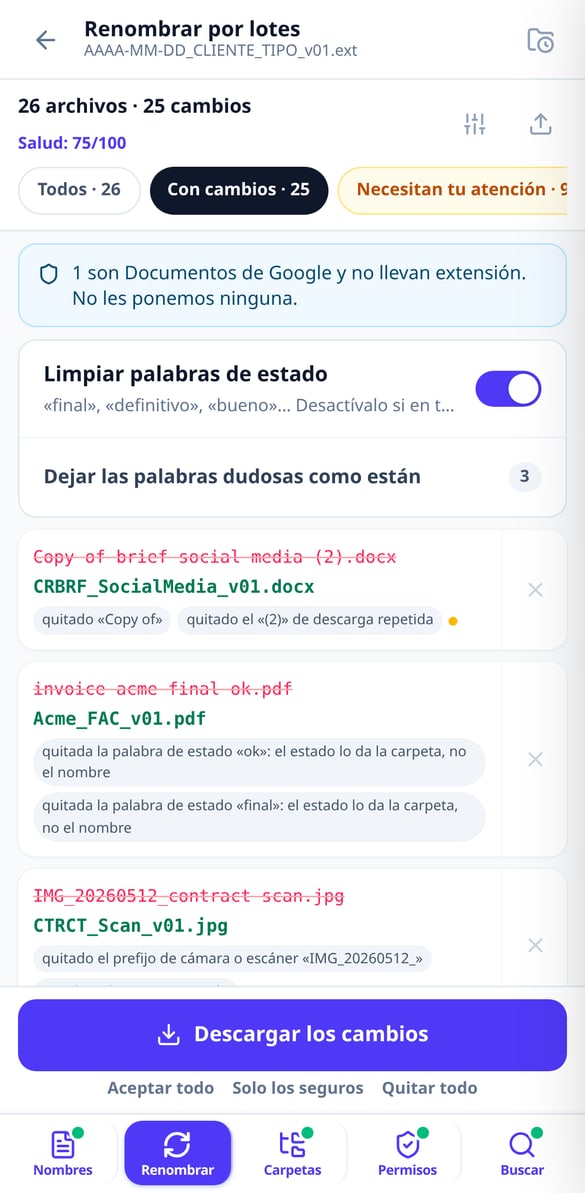
Paste your file list and get a table showing current name → new name with the reason for each change. Up to 1,000 names, export in CSV or XLSX, and a script to apply it to your Drive. Without connecting your account.
Try it free
Apps Script script to rename files in Google Drive
Generate a Google Apps Script script with your name mapping already included: it runs in your account, with test mode enabled, resumable batches, and a final report. Without us needing access to your Google Drive.
Try it free
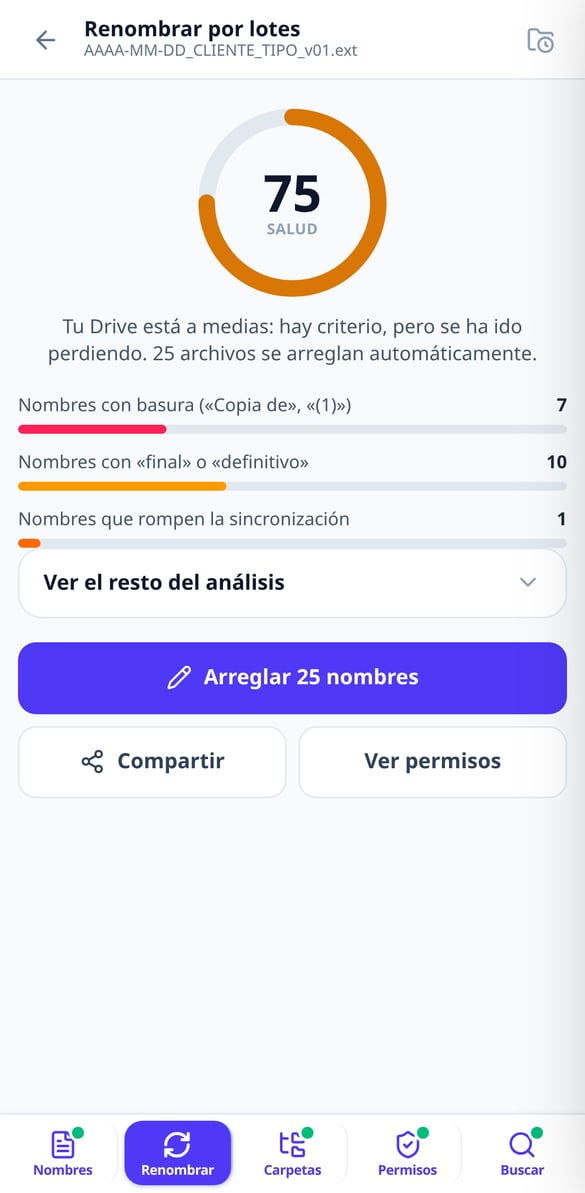
Google Drive Health Score: Grade your clutter
Paste your file name list and receive a score from 0 to 100 with a public formula: junk in names, status words, sync-breaking characters, duplicates, and mixed dates. Without connecting your account.
Try it free
Folder Structure for Google Drive Ready in ZIP
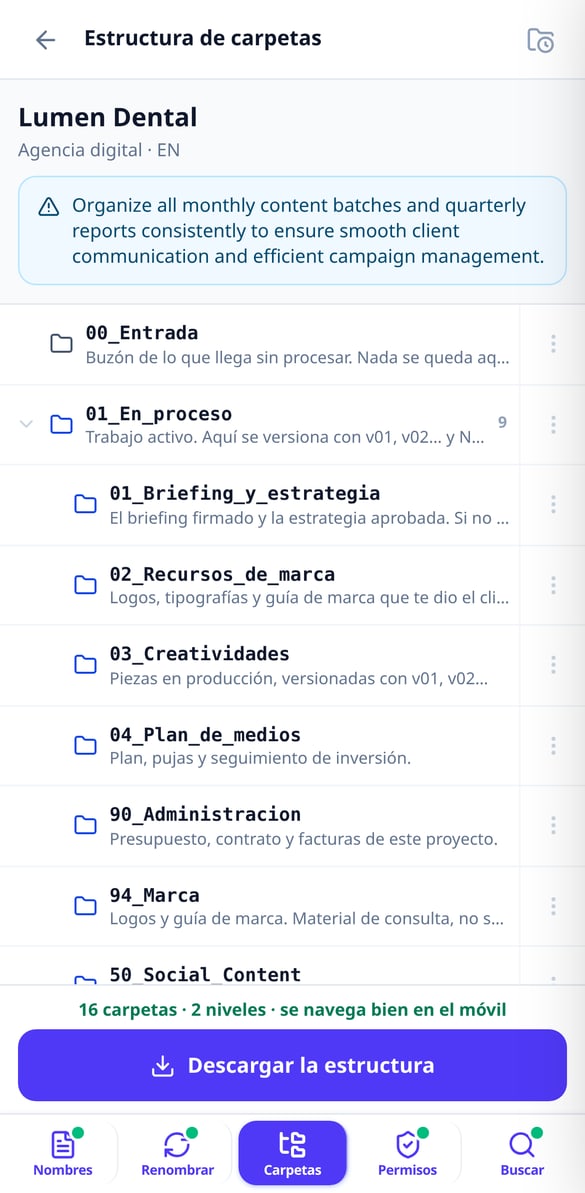
Choose your work type and we’ll set up the project folder structure for you, numbered so Drive orders it and with a maximum of 3 levels. Download it in ZIP and drag it to Drive. Without connecting your account.
Try it free
Google Drive Permissions: Your Policy in Five Questions
Answer five questions and we’ll give you your Google Drive permissions policy in writing: calculated risk level, My Drive versus Shared drives matrix, eight audit searches, and the offboarding checklist. Without connecting your account.
Try it free
Advanced Google Drive search in natural language
Type or dictate what you're looking for and we'll give you the exact advanced Drive search query: type:, title:, owner:, from:, after:. Explained piece by piece, ready to copy. Without connecting your account.
Try it freeFive tools for the Drive you already have
Tre værktøjer i ét, alle med tallet foran: trækcoachen, klinikken der afgør, om det var uheld eller en fejl, og venneturneringen, klar til at indsætte i WhatsApp.

Naming convention and batch renaming
Choose your industry from 11 and get the naming formula (YYYY-MM-DD_Client_TYPE_v01), your industry’s document abbreviations and 20 before-and-after examples. Then paste your names —up to 300 without an account, 1,000 with an account— and we’ll return the “current name → new name” table with the reason for each change, in CSV or XLSX.

Folder tree ready to drag and drop
Choose your type of work from 11 and we’ll build the structure by lifecycle —an intake folder, a work-in-progress folder, a client review folder, a deliverables folder and the archive—, numbered so Drive sorts it for you and with a maximum of 3 levels so it stays navigable on mobile. Each folder comes with its written guide inside. Take it as a ZIP or create it in your Drive with the script we give you.

Auditable permissions and searches that actually find
Five questions and you have your written permissions policy, the My Drive vs. Shared drives matrix, the checklist for when someone leaves and 8 audit searches. Describe what you’re looking for in one sentence and we’ll give you the Drive query explained operator by operator, with a link to open it in your account.
Three steps, nothing to install and no permissions to grant
Sæt dit bræt op
Vælg din farve, og tryk på felterne for at placere dine brikker og de modstanderbrikker, der truer dig. Du behøver ikke at placere alle 16: det er nok med de nærmeste trusler. Hvis du foretrækker genvejen, uploader du et skærmbillede af dit spil, og en visionsmodel læser det; du retter bare det, der ikke passer, før du analyserer.
Tryk på dit kast
Tryk på den terningeside, du har slået. Der er ingen analyser-knap: ranglisten vises af sig selv. Hvis du har slået flere 6'ere i træk, stabler du dem, og motoren planlægger hele sekvensen (og advarer, når tre 6'ere annullerer turen). Hvis du ikke har kastet endnu, giver planen pr. kast dig det bedste træk for hver af de seks sider.
Flyt brikken, mens du ved, hvad du risikerer
Du ser det anbefalede træk, to alternativer og opdelingen af risikoen for at blive slået modstander for modstander. Du udfører trækket, og brættet går videre til næste tur, så du ikke skal placere noget igen næste tur. Når du vender tilbage, fortsætter appen spillet, hvor du slap.
Frequently asked questions
Your Drive organized today, not “someday”
Sæt brættet op, tryk på terningen, og flyt brikken, mens du ved præcis, hvad du risikerer. Gratis, uden registrering og uden at installere noget.